Features
AutoBidPilot features for Freelancer.com freelancers: project search filters, AI proposal drafts in five styles, multiple profiles, bid price ranges, templates and statistics.
Project search with your own filters
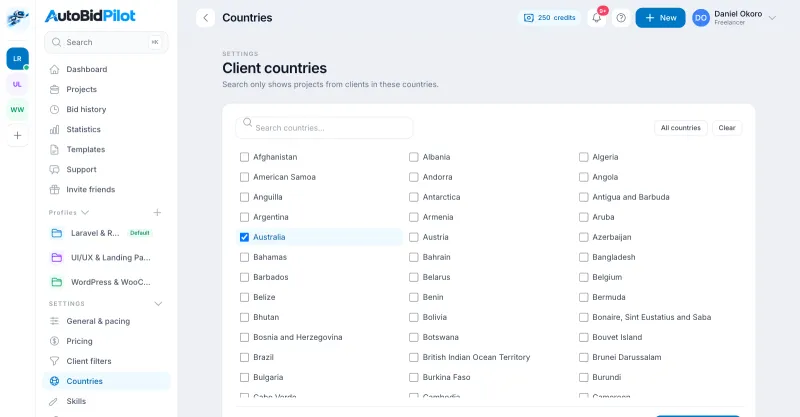
Search open Freelancer.com projects when you want to, by the skills on your profile, budget range, fixed-price or hourly, client country and language. Set how many of a project's skills must match yours so the list only shows work you can deliver. Each result shows the budget, the number of bids so far and how long ago it was posted.
Client filters are plain search filters on details Freelancer.com shows with every project, such as a verified payment method. You choose them, and they only hide projects from your list.
AI proposal drafts from the real brief
Open a project and generate a proposal written from that project's description and your profile, not a fill-in-the-blanks template. Pick one of five styles per profile or per bid:
- Concise & direct: The problem in one line, what you will do, one question.
- Detailed & technical: A short summary, then a numbered plan that names the tools and steps.
- Consultative & question-led: Opens with a diagnostic question and explains how the answer shapes the approach.
- Experience-led: Leads with your most relevant past work, then ties it to the project.
- Plan & milestones: Splits the work into 2 to 3 milestones with realistic timing and deliverables.
Every draft goes through a quality check before you see it, uses only the experience written on your profile, and can be edited freely. Nothing is sent until you press Apply Now. Want to see the styles first? Try the free proposal generator, which builds a template in each style without an account.
Multiple Freelancer profiles
Connect once with Freelancer.com's sign-in and your profiles sync in. Each keeps its own tagline, rate, skills and default proposal style. Refresh or disconnect whenever you want.
Your prices per budget range
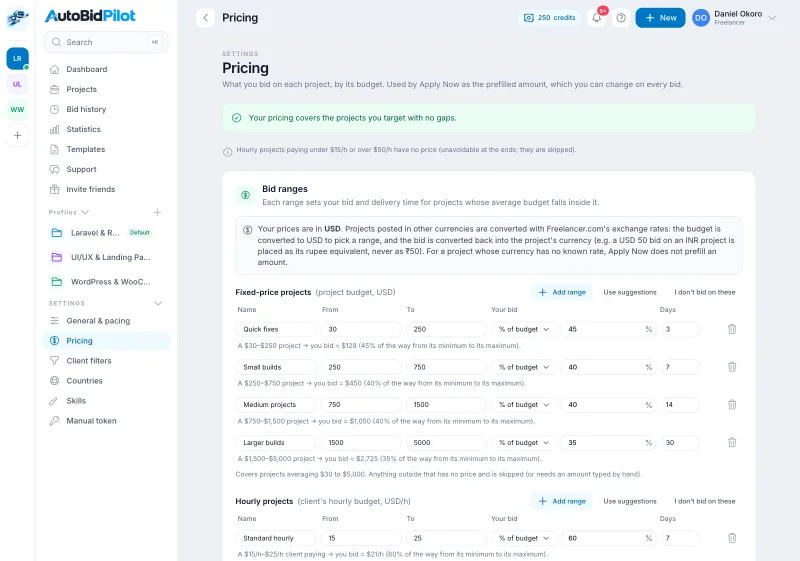
Set a suggested bid amount and delivery time for each budget range, separately for fixed-price and hourly projects. Apply Now prefills them, and you can change both on every bid. Not sure where to start? Use the bid price calculator.
Templates and a record of every bid
Keep your own proposal templates with placeholders for the client name, project title and delivery time. Every bid is logged with its profile, amount, delivery time and result, with a link back to the project.
Statistics and export
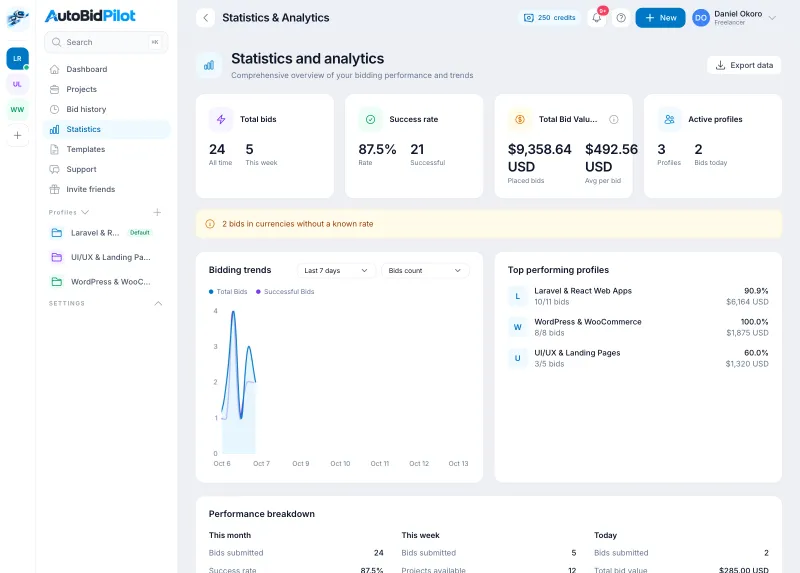
See bids per day, the share that went through, the value of what you bid and which profile performs best over 7, 30 or 90 days. Export your history to CSV or JSON.
Plans, or pay as you go
Searching, drafting, templates and statistics are free. One credit is used for each bid actually placed on Freelancer.com; a refused bid gives the credit back. A monthly or yearly plan (from $9 a month) adds credits every period at a lower price per bid, and credit packs are there for one-off top-ups. See pricing. Your Freelancer.com membership still sets how many bids you can place each month (details).