How AutoBidPilot works
How AutoBidPilot works in three steps: connect your Freelancer.com account, search projects with your own filters, then review an AI-drafted proposal and place each bid yourself.
Three steps: run them yourself, or let Auto bidding run them for you
AutoBidPilot is web software for freelancers who bid on Freelancer.com. It finds projects that fit your skills and writes a first draft of the proposal. You choose how the last step happens: press Start on Auto bidding and it places the bid for you within the filters, budget and limits you set, or open each project yourself and send it with Apply Now.
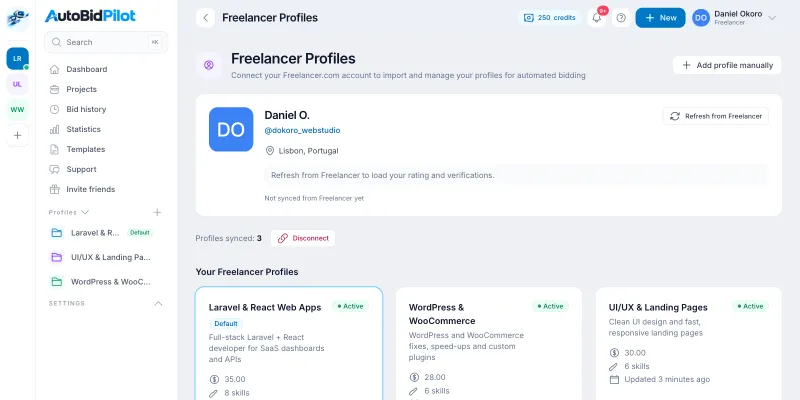
Connect your Freelancer.com account
Sign in with Freelancer.com's own sign-in page (OAuth). AutoBidPilot never sees or stores your Freelancer password. Your profiles sync in, each with its own skills, rate and tagline, so a WordPress job is answered by your WordPress profile. More about the connection.
Search projects with your own filters
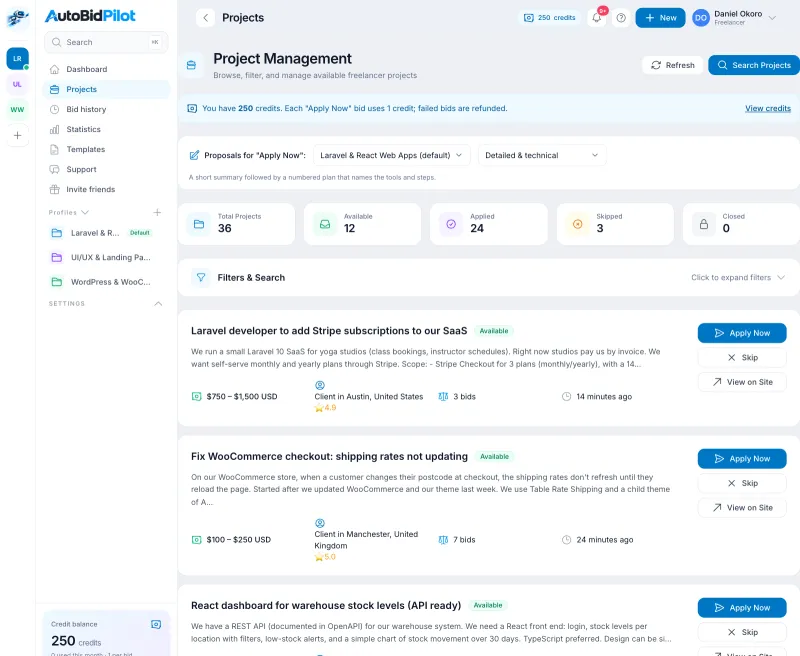
Search open Freelancer.com projects by skill, budget range, project type, country and language, and how many of a project's skills must match yours. Filters only hide projects from your own list; you read the list and choose what to open. Each result shows the budget, how many bids it already has and how long ago it was posted. How the filters work.
Review the AI draft and bid, or let Auto bidding send it
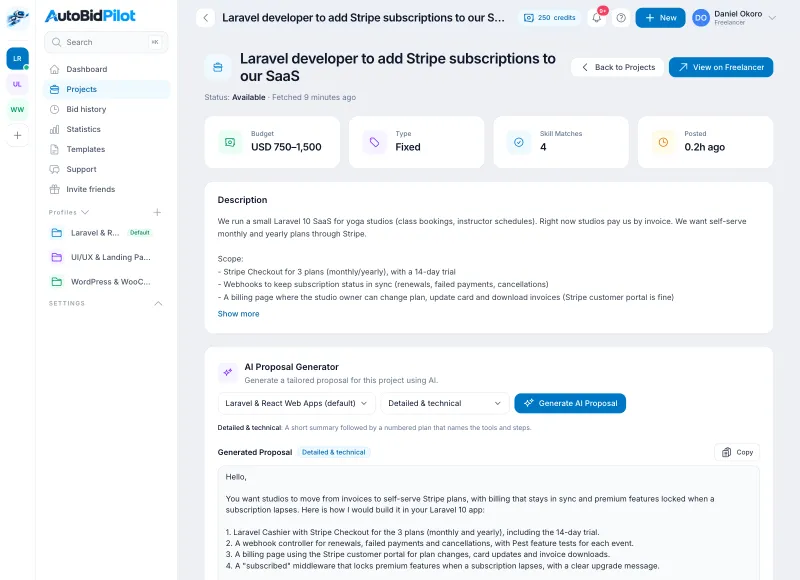
Open a project and generate a proposal from its actual brief and your profile, in one of five writing styles. Read it, edit anything, check the amount and delivery time (prefilled from your own price ranges), then press Apply Now. Or start Auto bidding and AutoBidPilot runs this step for every matching project on its own, within the filters, budget and limits you set. What Apply Now does.
What AutoBidPilot does not do
- It does not judge clients. Search filters are simple filters you choose (for example "payment verified"). Nothing scores, ranks or profiles clients, whether you bid manually or let Auto bidding run.
- It does not invent experience. Drafts use only what is written on your own Freelancer.com profile. If you bid manually, check every draft before you send it.
- It does not promise work. Winning projects depends on your skills, profile, price and the client. No tool can guarantee it.
The real risk, either way: Freelancer.com's User Agreement restricts automated access to its site and API without its written permission, including through auto bidding, and we do not hold that permission. Read our plain-language look at auto bidders.
What it costs
Searching projects and drafting proposals are free. One credit is used for each bid actually placed on Freelancer.com, and a bid Freelancer refuses gives the credit back. Choose a monthly or yearly plan with a bid credit allowance (from $9 a month), or buy credit packs as you go. Credits never expire. See pricing.
Your Freelancer.com bid allowance still applies. Freelancer.com decides how many bids your membership can place each month (its Free plan gives about 6). AutoBidPilot credits do not add Freelancer bids. How the two work together.
Try the free tools first
No account needed: draft a bid with the free proposal generator, check your price with the bid price calculator, or read bid samples by niche. Full feature list: features.